
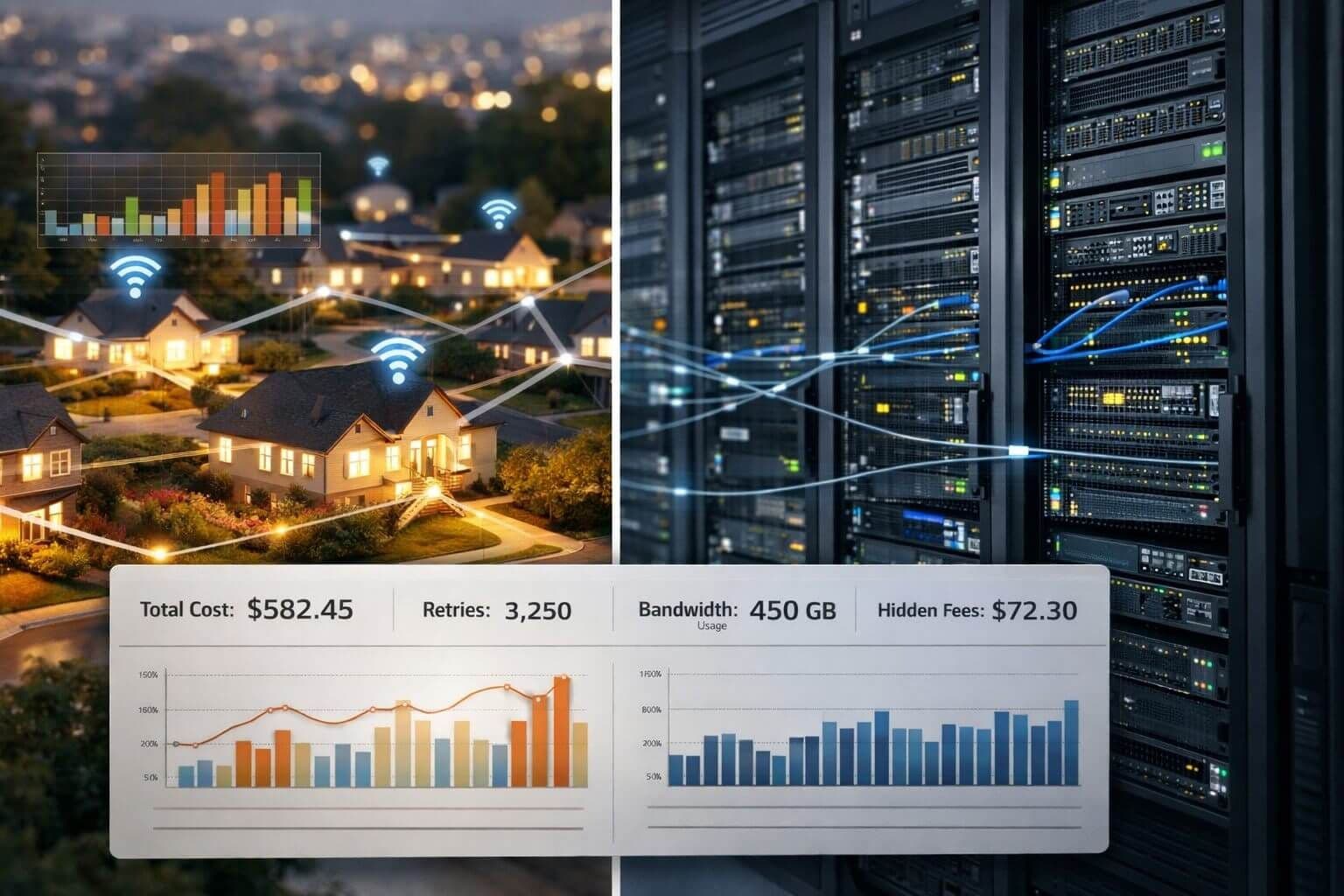
Choosing proxies based on the sticker price alone is one of the easiest ways to overspend.
A proxy plan can look affordable at first, then become far more expensive once bandwidth usage, retries, blocked requests, and extra features start compounding. That is why understanding the true cost of residential vs datacenter proxies matters before you commit to a provider or build a workflow around the wrong pricing model.
Proxy pricing is often misunderstood because providers do not bill the same way. Some charge per IP. Others charge per gigabyte. Some include key features in the base plan, while others add separate fees for rotation, sticky sessions, geo-targeting, or overages.
The better question is not which plan looks cheapest at checkout. It is which option gives you the lowest cost for successful, reliable results.
This guide explains how residential and datacenter proxies are priced, where the hidden costs usually appear, and how to reduce unnecessary spend without hurting performance.
What is the true cost of proxies?
The true cost of proxies is not just the monthly plan price.
It includes the full cost of getting successful results from your workflow, including:
- the base subscription or package cost
- bandwidth consumption
- failed requests and retries
- engineering time spent stabilizing jobs
- premium add-ons such as geo-targeting or session controls
- wasted traffic from loading unnecessary page assets
In other words, the cheapest proxy plan on paper is not always the lowest-cost option in practice.
Residential vs datacenter proxies at a glance
Before comparing costs, it helps to define the two main proxy types clearly.
Datacenter proxies
Datacenter proxies are IP addresses hosted in data centers. They are usually faster, easier to scale, and more predictable in terms of pricing.
They are often a good fit for:
- bulk scraping
- uptime-focused automation
- SEO monitoring
- lower-risk targets
- high-concurrency workflows
Residential proxies
Residential proxies use IP addresses associated with real household internet connections. Because they look more like normal user traffic, they are often harder for websites to detect and block.
They are commonly used for:
- sensitive targets
- anti-bot-heavy websites
- localized data collection
- workflows that need higher trust signals
- tasks where success rate matters more than raw speed
How datacenter proxy pricing works
Datacenter proxy pricing is usually easier to understand.
Most providers charge based on:
- number of IPs
- number of ports
- shared vs dedicated proxies
- thread limits
- monthly package size
In many cases, datacenter plans are sold at a fixed monthly rate. That makes budgeting simpler, especially for businesses that want predictable recurring costs.
Common datacenter pricing model
| Pricing factor | How it is usually billed | What it affects |
|---|---|---|
| Number of proxies | Per IP or per bundle | Base monthly cost |
| Shared vs dedicated | Lower vs higher cost | Performance and exclusivity |
| Thread or port limits | Included or tiered | Concurrency and scale |
| Rotation features | Sometimes extra | Flexibility of request flow |
The main benefit of datacenter proxies is cost predictability. If you are paying for a fixed number of proxies each month, your budget is easier to forecast.
However, low monthly pricing does not always mean low total cost. If your target sites block datacenter IPs often, the real cost goes up through failed jobs, retries, and maintenance.
How residential proxy pricing works
Residential proxies are often billed by bandwidth, usually per gigabyte.
That means you are not mainly paying for the number of IPs. You are paying for how much traffic your requests consume across the provider’s network.
Common residential pricing model
| Pricing factor | How it is usually billed | What it affects |
|---|---|---|
| Traffic usage | Per GB | Main cost driver |
| Geo-targeting | Sometimes premium | Cost by country, region, or city |
| Sticky sessions | Sometimes included, sometimes extra | Session persistence |
| Traffic packages | Monthly included bandwidth | Predictability and overage risk |
This model can work very well when a residential proxy helps you complete difficult tasks with fewer blocks and fewer retries.
But the tradeoff is simple: if your scraper loads too much unnecessary content, your costs can rise very quickly.
Residential vs datacenter proxies: which is cheaper?
There is no universal answer.
Datacenter proxies are usually cheaper per month and easier to budget. Residential proxies are usually more expensive per GB, but they may produce higher success rates on difficult targets.
The smarter comparison is not just price. It is cost per successful result.
Example: why the cheaper plan may cost more
Imagine two teams scraping the same site.
Team A uses datacenter proxies
- lower monthly price
- faster response times
- higher block rate
- more retries
- more job failures
Team B uses residential proxies
- higher traffic cost
- better success rate
- fewer retries
- less engineering intervention
- more stable output
If Team B gets significantly more successful records with less wasted work, then the residential setup may actually be the lower-cost option overall.
On the other hand, if the target site is easy to scrape and does not aggressively block traffic, datacenter proxies may deliver better value.
That is why residential vs datacenter proxies should always be evaluated against the actual workflow, not just the advertised rate.
The hidden fees that inflate proxy costs
Most buyers expect the monthly plan cost. What catches them off guard are the costs around the plan.
Here are the biggest hidden fees and budget leaks.
1. Bandwidth waste from heavy pages
This is one of the most common problems with residential proxy usage.
If your requests load:
- images
- videos
- fonts
- ads
- tracking scripts
- large JavaScript bundles
- unnecessary stylesheets
you may end up paying for a lot of data you do not need.
If your goal is to collect a product title, price, stock status, or search result, a full page load may be far more expensive than a lighter request strategy.
2. Overage charges
Some residential plans include a bandwidth allowance, then charge extra when you exceed it.
This becomes expensive when teams do not monitor:
- average traffic per page
- retry volume
- total monthly usage
- target-specific bandwidth consumption
Without traffic monitoring, overages can come as a surprise.
3. Premium geo-targeting fees
Some countries, regions, and cities cost more than others.
A provider may advertise broad residential access, but location-specific targeting can increase the real price of the plan.
4. Extra charges for advanced features
Some providers charge more for features such as:
- sticky sessions
- city-level targeting
- ASN targeting
- session control
- API access
- higher concurrency
These features may be useful, but they should be part of your cost comparison from the start.
5. The cost of failed requests
This is the hidden cost people forget most often.
A failed request can still consume:
- bandwidth
- compute resources
- queue capacity
- time
- developer attention
When failures pile up, the “cheap” plan can quickly become the more expensive one.
How to reduce proxy costs without sacrificing results
The best way to control proxy spend is to reduce waste.
That means using the right proxy type for the task and minimizing unnecessary traffic.
How to minimize bandwidth usage with residential proxies
If you are using bandwidth-based proxies, optimization matters.
Block media and non-essential assets
One of the fastest ways to reduce traffic usage is to block content you do not need.
This often includes:
- images
- video
- fonts
- third-party analytics
- ads
- social widgets
- large CSS or JavaScript files when possible
If your workflow only needs page text or a few fields, loading everything on the page is often unnecessary.
Use direct HTTP requests when possible
Browser automation is useful, but it is heavier and usually more expensive than direct HTTP requests.
A good rule is:
- use HTTP requests for simple pages and APIs
- use browser automation only when rendering or interaction is required
That alone can make a major difference in traffic costs.
Reduce retries
Retries are expensive because they multiply bandwidth and job time.
To lower retries, review:
- headers
- rate limits
- session handling
- concurrency settings
- fingerprint consistency
- request timing
In many cases, improving request quality lowers total proxy spend more than switching providers.
Cache repeated data
If some data does not change often, cache it.
Do not keep downloading the same resources through paid traffic if the business task does not require a fresh fetch every time.
Limit your collection scope
Many workflows collect far more data than they actually need.
Before scaling a job, ask:
- Do we need every page?
- Do we need the full page or only selected fields?
- Do we need hourly updates, or is daily enough?
- Do we need rendering for every target?
Tighter scope usually means lower cost.
A simple framework for choosing the right proxy type
Use this decision guide when comparing residential vs datacenter proxies.
Choose datacenter proxies when:
- the target is not highly protected
- you need speed and predictability
- you want a fixed monthly cost
- you are running high-volume tasks
- your workflow can tolerate some blocking
Choose residential proxies when:
- the target aggressively blocks datacenter traffic
- you need higher trust and realism
- location accuracy matters
- success rate matters more than speed
- you are ready to manage bandwidth carefully
Use a mixed approach when:
- some targets are easy and others are difficult
- you want to control cost while keeping success rates high
- you only need residential traffic for the hardest requests
- you want datacenter proxies as the default layer and residential as fallback
For many teams, a mixed setup is the most practical and cost-efficient option.
A practical cost comparison checklist
Before you choose a provider, review these questions:
- Is the plan billed per IP, per port, per GB, or through a hybrid model?
- Are overage fees clearly explained?
- Are some geographies priced higher than others?
- Are sticky sessions and targeting features included?
- How much data does a typical page load consume?
- Can your scraper block heavy assets?
- What is your expected retry rate?
- Can some pages be fetched through HTTP instead of a browser?
- What does a successful record actually cost in each setup?
These questions will tell you more than the headline price alone.
Common mistakes that make proxy bills spike
Comparing plans by unit price only
A lower price per IP is not helpful if the success rate is poor and retries keep multiplying.
Using browser automation for every task
Many workflows do not need a full browser. Using one by default can inflate both bandwidth and compute costs.
Ignoring page weight
A lightweight HTML page and a JavaScript-heavy ecommerce page are not equal from a cost perspective.
Not tracking usage by workflow
If you do not know which target or job is consuming the most traffic, it is hard to optimize spending.
What a real proxy budget should include
A realistic proxy budget should include more than the package fee.
It should account for:
- base plan cost
- bandwidth usage
- retry overhead
- compute or browser overhead
- anti-bot handling costs
- internal engineering time
- premium features or targeting fees
This gives you a more accurate view of the true cost of running proxy-based workflows.
Frequently asked questions about proxy pricing
Are residential proxies always more expensive than datacenter proxies?
Not always in total workflow cost.
Residential proxies usually have a higher direct usage cost, especially when billed per GB. But if they produce better success rates and fewer retries on hard targets, they may be cheaper in practice.
Why do residential proxy costs rise so quickly?
The biggest reason is bandwidth consumption.
If your workflow loads full pages with media, scripts, and other heavy assets, traffic usage increases fast. Retries make that even worse.
Are datacenter proxies enough for most tasks?
For many use cases, yes.
If the target is not highly protected, datacenter proxies are often the better value because they are fast, stable, and easier to budget.
What is the best way to lower residential proxy costs?
The most practical steps are:
- block media and non-essential resources
- avoid full browser rendering when possible
- reduce retries
- cache repeated data
- use residential traffic only where needed
The best proxy setup is the one that fits the task
The real lesson is simple.
Do not choose a proxy plan based only on the advertised price. Choose based on total operating cost, success rate, and workflow fit.
Datacenter proxies are often the best value when speed, scale, and fixed monthly pricing matter. Residential proxies are often worth the higher rate when they improve access to difficult targets and reduce failed requests.
For most teams, the best results come from matching the proxy type to the target, then reducing wasted traffic wherever possible.
If you are reviewing providers, start with the core offering at InstantProxies, compare plan structure on the pricing page, explore proxy types on the proxies page, and check the affiliate program if partnership or referral revenue is relevant to your business model.
That approach will help you make a better decision than simply chasing the lowest number on a pricing table.