
Support overview
The InstantProxies support team is available to help with setup issues, connectivity questions, account concerns, and other proxy-related problems. Support should help you move from symptom to diagnosis more quickly, especially when the issue is difficult to classify from the dashboard or application alone.
Contact support
If you need assistance, you can reach the InstantProxies support team through the dashboard using either support tickets or live chat, depending on what is available for your account.
Steps to contact support
-
Log in to your InstantProxies dashboard.
-
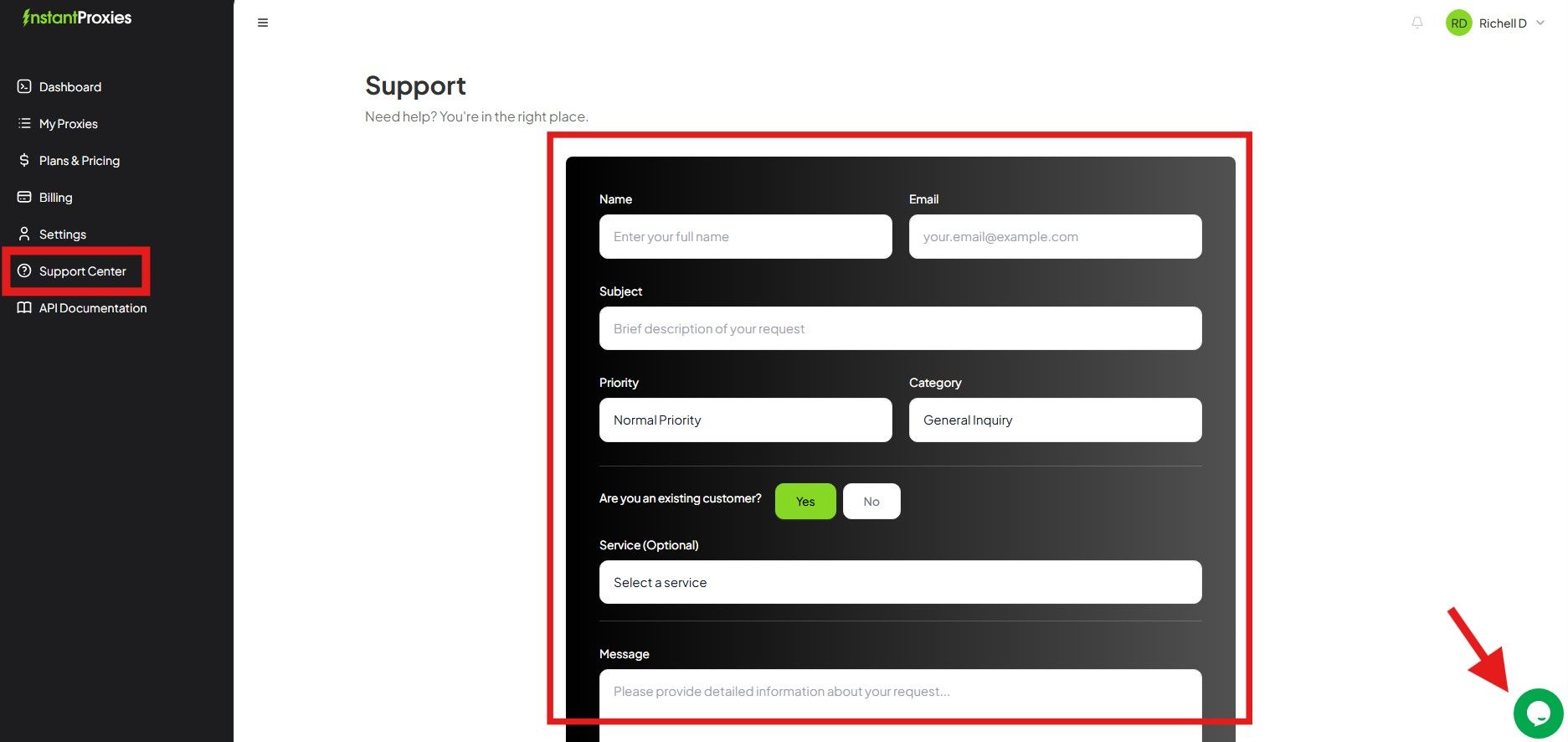
Navigate to the Support Center.
-
Choose your preferred method:
- submit a support ticket for detailed issues
- start a live chat for faster back-and-forth if available
-
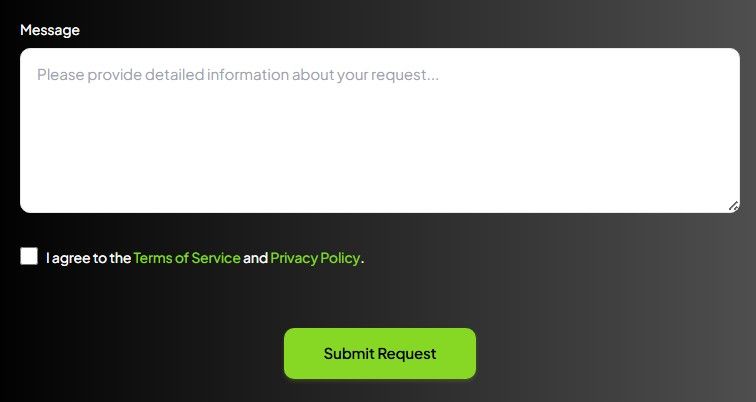
Provide details about your issue.
-
Submit the request or begin the chat.
If you need a general dashboard starting point first, continue to Dashboard Overview.
What to include in your request
Providing complete and accurate details usually makes support faster and more useful.
When submitting a request, include:
- a clear description of the issue
- proxy details such as the IP, port, or plan type when relevant
- any error messages or useful logs
- the tool, software, browser, or framework you are using
- the environment where the issue happens, such as local machine, server, container, or browser automation runtime
- whether the issue also happens in a minimal cURL test
For access or troubleshooting problems, including the failure boundary helps a lot. Useful examples include:
- whether the issue is connectivity-related
- whether the issue looks authentication-related
- whether only one destination is affected
- whether the issue happens only under browser automation or repeated traffic
If you are collecting diagnostics before opening a ticket, these docs may help first:
Response times
Support is available Monday through Friday, from 7:00 AM to 5:00 PM US Pacific Time, excluding U.S. holidays.
Many requests are handled within a few hours, while more complex cases may take longer depending on the issue and the information provided.
Response times can vary based on:
- issue complexity
- how complete the initial request is
- current support volume
- whether the problem requires environment-specific or destination-specific investigation
How to get faster help
To make support more effective:
- reproduce the issue with the smallest meaningful request path you can
- include exact errors instead of only summaries
- note whether the issue happens in one environment or several
- avoid sending unnecessary sensitive details in raw form
- include what you have already tested so support does not have to repeat the same basic steps