
Windows lets you set up proxy settings at the system level, applying them to browsers and many applications that respect the system proxy configuration. This means you can route traffic through a proxy without configuring each supported application separately.
Preparation: Gather your proxy details
Ensure you have the necessary InstantProxies details available before setup:
- Proxy IP address
- Port number
- Username and password for credential-based authentication, or
- An already authorized public IP address for IP-based authentication
If your setup uses IP allowlisting and you have not added your current environment yet, start with Authorizing Your IP Address.
How to set up a proxy in Windows
Step 1: Access Proxy Settings
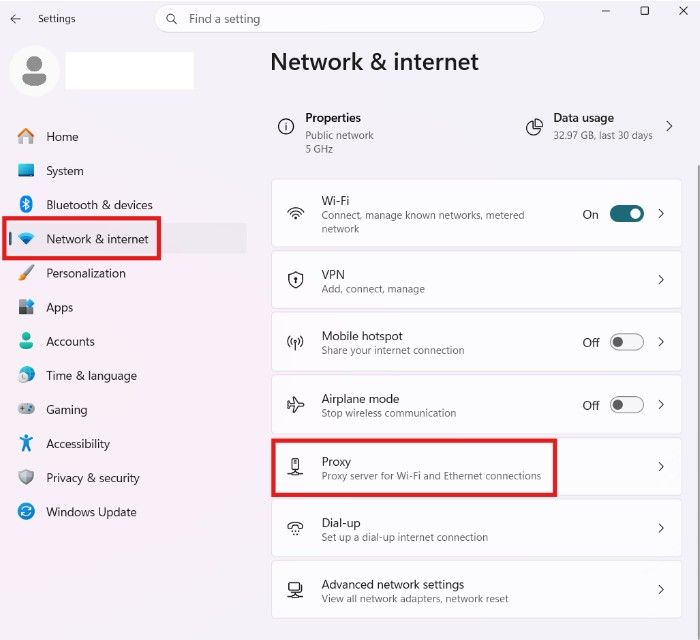
Open the Start menu, launch Settings, then go to Network & Internet and choose Proxy.
Step 2: Perform Manual Proxy Configuration
- Under Manual proxy setup, click Set up.
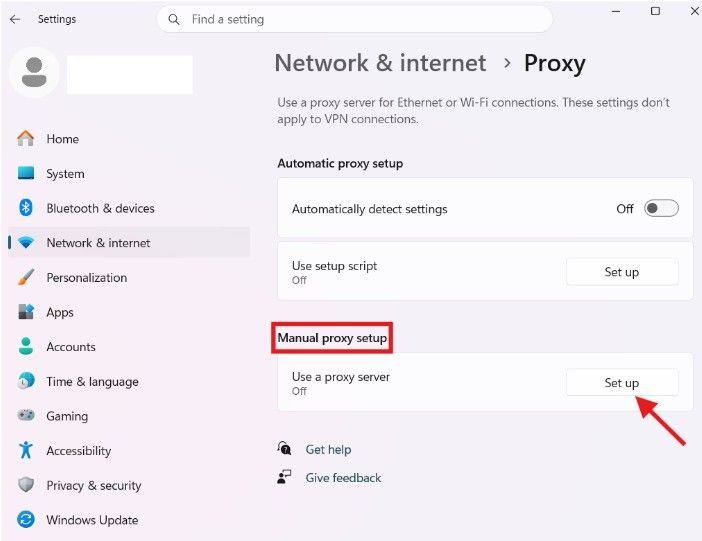
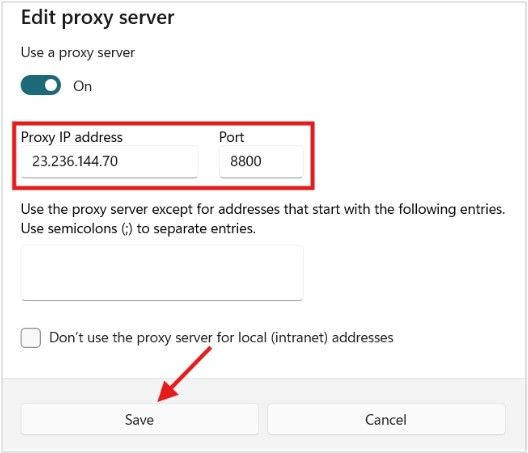
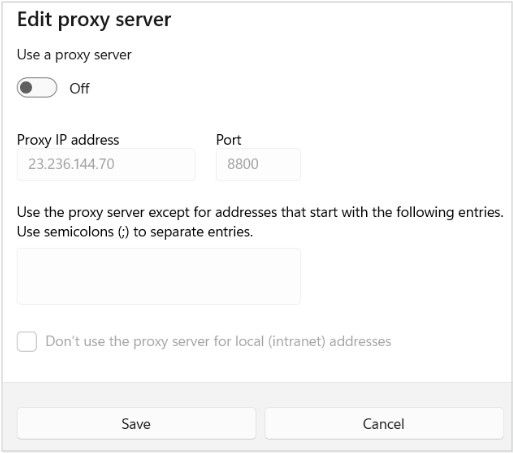
- Turn on Use a proxy server, enter your InstantProxies IP in the Address field, set the Port, then click Save.
Step 3: Proxy Authentication Setup (If Required)
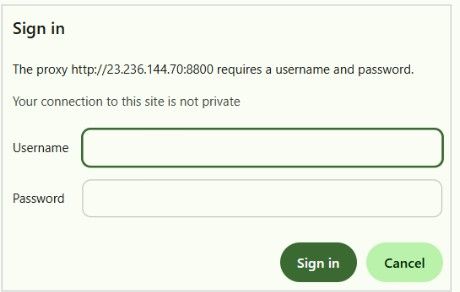
If you’re using username and password authentication instead of IP allowlisting, you may be prompted for credentials when an application connects to the internet for the first time.
- Enter your InstantProxies username and password, then continue.
Step 4: Verify your connection
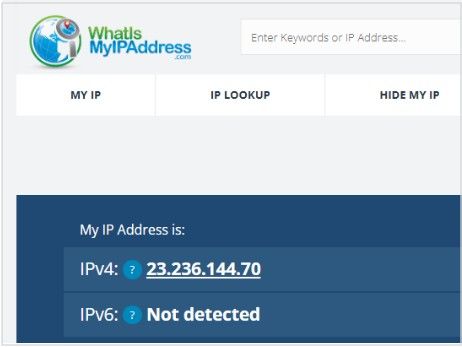
To confirm your setup, open a browser and visit an IP-checking website such as https://whatismyipaddress.com or http://ip-check.net. Verify whether the IP shown matches your InstantProxies IP.
If it does, your supported system traffic is now going through the proxy.
For a more direct validation step, continue to Verify Your Connection.
Troubleshoot proxy setup
Common issues and resolutions
-
Connection issues
- Review your IP and port settings, and ensure your device’s real public IP is authorized in the InstantProxies dashboard if you’re using IP-based authentication.
-
407 authentication error
- Confirm that the browser or application is using the correct username and password.
-
Proxy not working in an app
- Some applications ignore Windows system proxy settings. In those cases, app-level proxy configuration may still be required.
If issues continue, use Connectivity Troubleshooting.
Turn off system proxy on Windows
This removes the proxy and returns your normal internet access.
- Open Settings under Network & Internet, go to Proxy, and disable Use a proxy server.
Next step
After the Windows system proxy is working, continue to Verify Your Connection to confirm the runtime path. If you want browser-specific guides next, continue to Platform and Browser Setup.